

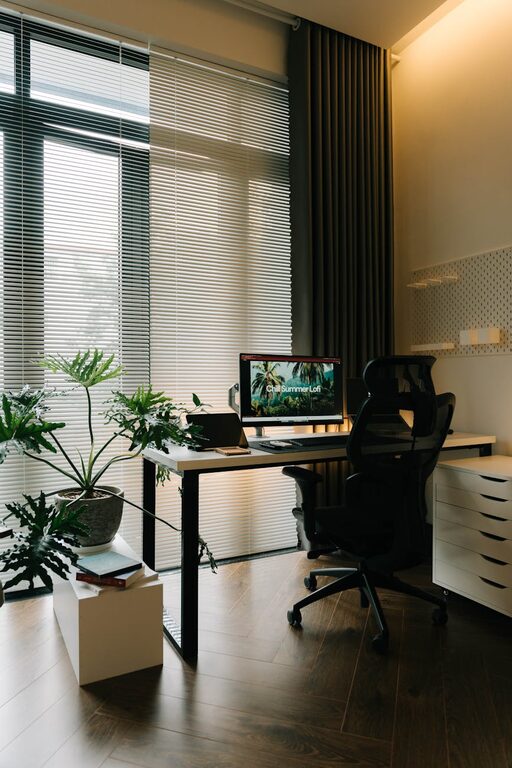
Creating a home workspace that is both relaxing and productive can make a significant difference to your workday, especially if you spend many hours working from home. A well-organised, calming environment not only improves focus but also helps reduce stress. Below are some helpful tips to design a workspace that supports your work while keeping you comfortable.
Choose the Right Location
The first step in creating an effective home workspace is selecting the right spot. Ideally, this should be a quiet area with minimal distractions. If possible, avoid high-traffic zones such as the kitchen or living room.
Consider Natural Light
Natural light has a positive effect on mood and energy levels. Position your desk near a window to take advantage of daylight, but be mindful of glare on your screen. If natural light is limited, invest in good quality, adjustable artificial lighting.
Invest in Comfortable Furniture
Comfort is key when spending long hours working. An ergonomic chair that supports your back and adjustable desk height are worth the investment.
The Importance of Desk Space
Choose a desk that offers enough room for your computer, documents, and any other equipment you need. A clutter-free desk helps keep your mind clear and focused.
Keep Your Workspace Organised
A tidy workspace promotes productivity and reduces stress. Incorporate storage solutions such as shelves, drawers, or filing cabinets to keep essentials organised and out of sight.
Use Cable Management
Tangling cables can be distracting and untidy. Use clips, sleeves, or cable boxes to keep cords neat and prevent them from becoming trip hazards.
Personalise Your Environment
Adding personal touches to your workspace can make it more inviting and comfortable. Consider including elements such as plants, artwork, or cushions.
Plants for Wellbeing
Indoor plants not only brighten the space but can also help purify the air and boost your mood. Choose low-maintenance varieties like succulents or snake plants if you’re new to plant care.
Minimise Noise and Interruptions
Working from home often means dealing with noise or distractions. Use noise-cancelling headphones or listen to gentle background music to maintain focus.
Set Boundaries
Communicate your work hours clearly to family members or housemates to minimise interruptions. Consider a door sign or schedule that indicates when you’re busy.
Optimise Technology Setup
Ensure your technology supports efficient work. This includes a reliable internet connection, a good quality headset or microphone for calls, and appropriate software.
Screen Position and Eye Health
Position your monitor at eye level to reduce neck strain. Follow the 20-20-20 rule: every 20 minutes, look at something 20 feet away for 20 seconds to reduce eye fatigue.
Take Regular Breaks
Even the best workspace cannot replace the benefits of regular breaks. Stand, stretch, or take a short walk to keep your body and mind refreshed.
Use Break Reminders
Set a timer or use productivity apps to remind yourself to take breaks. This helps prevent burnout and maintains concentration throughout the day.
Maintain a Clear Work-Life Separation
When your home is also your office, it can be challenging to switch off. Try to finish work at a consistent time and pack away work materials to signal the end of the day.
Create a Shutdown Ritual
Before finishing work, organise your desk and write a to-do list for the next day. This practice can help clear your mind and aid a smooth transition to personal time.
—
By considering these tips, you can create a home workspace that balances relaxation with productivity. Over time, small adjustments will help you find what works best for your needs and routines. Remember, the goal is to build a space where you feel comfortable, focused, and ready to work efficiently.