

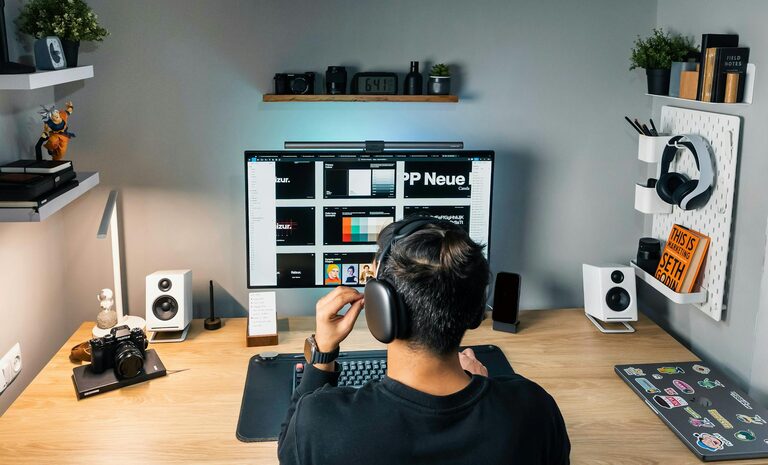
Creating a productive home workspace is essential for anyone working remotely or balancing home and professional duties. A well-designed environment can improve focus, comfort, and efficiency, turning your work hours into truly productive ones. Here are practical tips to help you set up a home workspace that works for you.
Choose the Right Location
Find a Dedicated Spot
Select a place in your home that is as quiet and distraction-free as possible. Whether it’s a spare room, a corner of the living room, or a nook in the bedroom, having a dedicated area signals to your brain that it’s time to work.
Consider Natural Light
Natural light boosts mood and reduces eye strain. Position your desk near a window if possible, so you can benefit from daylight. If natural light is limited, invest in good quality task lighting.
Invest in Ergonomic Furniture
Desk and Chair
Choose a desk and chair that support good posture. Your chair should support your lower back, and your feet should rest flat on the floor. The desk height should allow your elbows to rest comfortably at a 90-degree angle when typing.
Accessories for Comfort
Using accessories such as a footrest, wrist supports, or a laptop stand can minimise discomfort and help maintain healthy posture throughout the day.
Keep Your Space Organised
Declutter Regularly
An organised workspace reduces stress and helps to focus. Keep only the essentials on your desk. Use trays, drawers, or shelves to store paperwork and tools neatly out of sight.
Use Organisational Tools
Desk organisers, filing systems, and cable management products keep your workspace tidy and help you find what you need quickly.
Minimise Distractions
Set Boundaries
Inform family or housemates about your working hours to reduce interruptions. Use noise-cancelling headphones if ambient noise is a problem.
Digital Discipline
Limit non-work-related notifications on your devices and consider apps that block distracting websites during work hours.
Create a Motivating Atmosphere
Personalise Your Space
Add items that inspire you, such as plants, artwork, or photographs. A few personal touches can make your workspace more inviting and motivate you to work.
Choose Soothing Colours
Colours impact mood and concentration. Soft blues, greens, or neutrals tend to create a calm environment conducive to productivity.
Maintain Good Air Quality
Ventilation Is Key
Fresh air keeps you alert. Open windows regularly or use an air purifier, especially if your workspace is a small or enclosed area.
Add Plants
Indoor plants not only improve air quality but also have a calming effect that can reduce stress and increase focus.
Manage Time and Breaks
Use a Timer or Schedule
Work in focused intervals, such as 25 or 50 minutes, followed by short breaks. This approach, sometimes called the Pomodoro Technique, can boost concentration and prevent burnout.
Take Proper Breaks
Stand up, stretch, or take a short walk during breaks to refresh your body and mind.
Utilise Technology Wisely
Reliable Equipment
Ensure your computer, internet connection, and other tools work well and are up to date. Technical issues can disrupt your flow and cause frustration.
Effective Software
Use productivity apps for task management, note-taking, or communication to stay organised and connected with colleagues.
Keep a Routine
Start and End Your Day Consistently
Having a regular work schedule helps your brain switch between work and relaxation modes. It’s important to start and finish at set times to maintain work-life balance.
Prepare Your Space Each Day
Spend a few minutes organising your desk before starting work. This habit sets a productive tone for the day.
—
In conclusion, creating a productive workspace at home is about balancing comfort, organisation, and motivation. By choosing the right location, investing in ergonomic furniture, minimising distractions, and maintaining clear routines, you can transform your home office into a place where you focus, create, and succeed. Give these tips a try and enjoy the benefits of an efficient home working environment.