

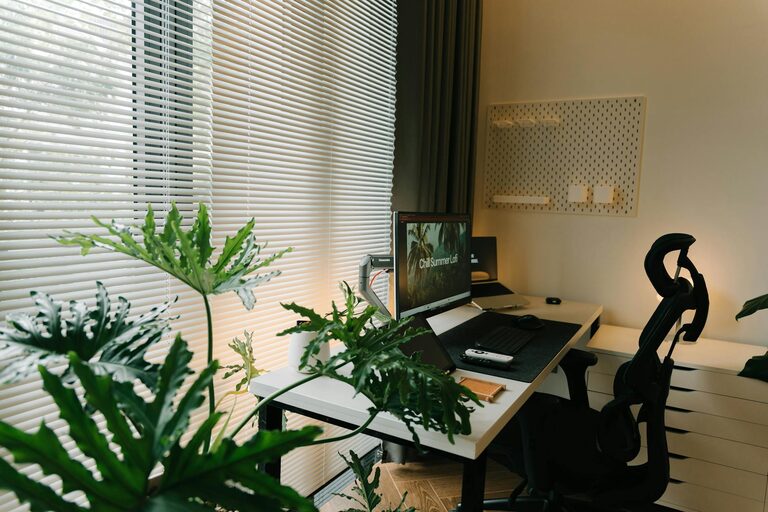
Working from home offers flexibility but can also blur the boundaries between personal and professional life. A well-designed home office fosters productivity while maintaining a relaxing atmosphere, making your workdays more enjoyable and efficient. Here are some key strategies to help you create a home office environment that supports both focus and calm.
Choose the Right Location
Find a Quiet Spot
Select a room or corner with minimal noise and foot traffic. If possible, use a separate room rather than a shared space to reduce distractions. This separation helps your mind associate the area specifically with work.
Consider Natural Light
Natural light positively impacts mood and alertness. Position your desk near a window to benefit from daylight, but avoid glare on your computer screen by using blinds or curtains when necessary.
Invest in Comfortable and Functional Furniture
Ergonomic Chair and Desk
An adjustable chair that supports your posture is essential to prevent discomfort during long work hours. Your desk should have enough space to accommodate your devices and work materials without feeling cramped.
Declutter Your Workspace
Keep only essential items on your desk to maintain organisation and minimise distractions. Use storage solutions like shelves, drawers, or boxes to keep paperwork and supplies tidy.
Personalise Your Space Thoughtfully
Soothing Colours and Decorations
Soft, neutral colours such as pale blues, greens, or creams promote calm. Add personal touches like plants, artwork, or photographs that inspire you without overwhelming the space.
Incorporate Plants
Indoor plants can improve air quality and create a relaxing atmosphere. Choose low-maintenance varieties like succulents, snake plants, or peace lilies to add some greenery.
Control Lighting and Temperature
Use Layered Lighting
Balance overhead lighting with task lights, such as desk lamps, to reduce eye strain. Adjustable lighting allows you to set the brightness to your preference throughout the day.
Maintain Comfortable Temperature
Ensure your workspace remains at a comfortable temperature. Use fans, heaters, or adjust windows to keep the environment pleasant and avoid distractions caused by discomfort.
Establish a Routine and Set Boundaries
Define Working Hours
Set consistent start and finish times to create structure. Communicate these hours with household members to minimise interruptions.
Create a Start-Up Ritual
Develop a routine that signals the beginning of your workday, such as making a cup of tea or reviewing your to-do list. This helps your brain shift into work mode.
Minimise Technology Distractions
Manage Notifications
Turn off non-essential notifications on your devices during work hours. Consider apps or settings that limit social media access temporarily.
Use Quality Equipment
Invest in reliable technology, such as a good-quality headset, keyboard, and mouse, to enhance comfort and efficiency.
Prioritise Breaks and Movement
Take Regular Breaks
Step away from your desk every hour to rest your eyes and stretch. Short breaks can improve concentration and reduce fatigue.
Incorporate Movement
If possible, include a standing desk or take short walks during the day to promote circulation and reduce stiffness.
Maintain Cleanliness and Organisation
Daily Tidy-Up
Spend a few minutes at the end of each day clearing your desk and organising materials to start fresh the next morning.
Regular Deep Clean
Clean surfaces, electronics, and floors regularly to create a hygienic and inviting space.
—
By thoughtfully designing your home office with comfort and functionality in mind, you can create an environment that nurtures both relaxation and productivity. Small changes, combined with consistent habits, have the power to transform your work-from-home experience positively.