

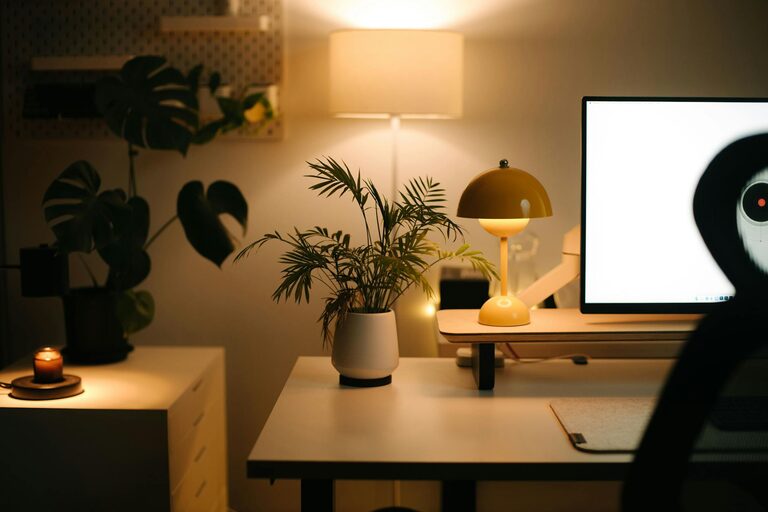
Creating a home office environment that is both relaxing and productive can make a significant difference in your work-from-home experience. Whether you work remotely full-time or occasionally need a dedicated space, thoughtful design and organisation can help you stay focused while reducing stress. In this article, we’ll explore practical tips to help you set up a home office that supports your work and wellbeing.
Choose the Right Location
Selecting the ideal spot for your home office is the first step to fostering a productive environment.
– Quiet and Private: Choose a space away from household traffic, noise, and distractions. A room with a door can be especially helpful.
– Natural Light: Position your desk near a window if possible. Natural daylight improves mood, focus, and energy levels.
– Room Size: Make sure there’s enough room for your desk, chair, storage, and movement to avoid feeling cramped.
Invest in Ergonomic Furniture
Comfortable furniture is essential for long hours of work and helps prevent physical discomfort.
– Ergonomic Chair: Look for adjustable features such as seat height, lumbar support, and armrests to keep good posture.
– Desk at the Right Height: Your desk should complement your chair height to allow elbows to rest comfortably at a 90-degree angle.
– Consider a Standing Desk: Alternating between sitting and standing can increase circulation and reduce fatigue.
Optimise Lighting
Proper lighting reduces eyestrain and creates a welcoming atmosphere.
– Combine Natural and Artificial Light: Use daylight alongside soft white LED lights to brighten up your space.
– Avoid Glare: Position your screen to avoid reflection from windows or lights.
– Desk Lamp: A focused desk lamp helps illuminate paperwork and reduces contrast in your field of view.
Organise Your Workspace
An organised desk helps maintain focus and reduces stress caused by clutter.
– Declutter Regularly: Keep only essential items on your desk and store the rest neatly.
– Use Storage Solutions: Shelves, filing cabinets, and desk organisers can keep documents and office supplies tidy.
– Cable Management: Use clips or cable covers to prevent wires tangling and looking messy.
Personalise Thoughtfully
Adding personal touches can make your office feel inviting, but keep it balanced to maintain professionalism and minimise distractions.
– Inspiring Artwork or Photos: Choose images that motivate or calm you without overwhelming the senses.
– Plants: Indoor plants improve air quality and add a relaxing touch of nature.
– Aromatherapy: Consider subtle scents like lavender or citrus using essential oils or candles to create a peaceful atmosphere.
Establish a Technology Setup that Works
Efficient technology is a key element of a productive home office.
– Reliable Internet Connection: Ensure you have fast and stable Wi-Fi or consider a wired connection.
– Quality Monitor and Accessories: A good-sized monitor, ergonomic keyboard, and mouse can reduce strain.
– Headphones: Noise-cancelling headphones can help block distractions and improve focus during calls.
Set Boundaries and Routines
To maintain both productivity and relaxation, set clear work habits and physical boundaries.
– Work Hours: Define start and finish times to separate work from personal time.
– Breaks: Take short, regular breaks to stretch, rest your eyes, and reset your mind.
– Dedicated Space: Use the home office exclusively for work to help your brain associate the area with focus.
Control Temperature and Air Quality
Comfortable air and temperature contribute to concentration and wellbeing.
– Ventilation: Keep windows open when possible or use fans to circulate fresh air.
– Heating and Cooling: Adjust your thermostat to a comfortable level; too hot or too cold can be distracting.
– Air Purifiers: Consider an air purifier if you experience allergies or want to improve indoor air quality.
Keep Supplies Handy But Minimal
Having necessary items close by saves time and maintains workflow without overcrowding.
– Everyday Essentials: Keep pens, notebooks, chargers, and similar items within reach.
– Digital Tools: Use apps and cloud storage to reduce physical paperwork.
– Avoid Overstocking: Avoid piling up excessive supplies that clutter your workspace.
Maintain Cleanliness
A clean office supports a clear and relaxed mind.
– Daily Tidy-Up: Spend a few minutes at the end of each day to tidy surfaces.
– Clean Screens and Equipment: Dust monitors and keyboards regularly to maintain hygiene and prevent eye strain.
– Declutter Weekly: Review files and remove unnecessary items routinely.
—
Creating a home office that balances relaxation and productivity is a personal journey, but by applying these tips, you can design a space that supports your best work while also caring for your wellbeing. Start small, make adjustments as needed, and enjoy the benefits of a thoughtfully arranged home workspace.